




Company
Help & support
Get help from the OnEquity support team, available 24/5. Find account answers, payment information and official contact details.

Help centre
Account and service enquiries
Search account access, platforms, trading conditions and funding questions in one place.
Trading platformsHow do I access MetaTrader 4?
Sign in to the Client Portal at auth.onequity.com to find your MetaTrader 4 account details. In the terminal, use the trading-account login, password and exact server assigned to that account.
Explore this topicTrading platformsWhich charting tools are built into MT4?
The desktop platform includes 9 chart timeframes and 30 built-in indicators. Custom indicators can extend the tools available.
Explore this topicTrading platformsCan I use Expert Advisors in MT4?
MT4 desktop supports Expert Advisors written for MQL4. Check the applicable account agreement before enabling automated trading; a trading robot does not remove market risk.
Explore this topicTrading platformsWhich pending orders does MT4 support?
MT4 supports Buy Limit, Sell Limit, Buy Stop and Sell Stop orders.
Explore this topicTrading platformsHow do I access MetaTrader 5?
Sign in to the Client Portal at auth.onequity.com to find your MetaTrader 5 account details. In the terminal, use the trading-account login, password and exact server assigned to that account.
Explore this topicTrading platformsWhich charting tools are built into MT5?
The desktop platform includes 21 chart timeframes and 38 built-in indicators. Custom indicators can extend the tools available.
Explore this topicTrading platformsCan I use Expert Advisors in MT5?
MT5 desktop supports Expert Advisors written for MQL5. Check the applicable account agreement before enabling automated trading; a trading robot does not remove market risk.
Explore this topicTrading platformsWhich pending orders does MT5 support?
MT5 supports Buy Limit, Sell Limit, Buy Stop and Sell Stop, plus Buy Stop Limit and Sell Stop Limit orders. Check the order types enabled for the specific symbol.
Explore this topicTrading platformsAre MT4 and MT5 logins interchangeable?
No. Use the credentials and server assigned to the specific platform account. Your Client Portal login and trading-account login also serve different purposes.
Explore this topicTrading platformsAre desktop and mobile versions identical?
No. The tools and workflows vary by device. Desktop features such as Expert Advisors and strategy testing are not the same as the tools available in the mobile apps.
Explore this topicTrading platformsCan I move indicators and Expert Advisors between MT4 and MT5?
MT4 uses MQL4 and MT5 uses MQL5. An MT4 programme does not run directly in MT5; use a compatible version or have its code adapted and tested.
Explore this topicTrading platformsWhat is the difference between a demo and a live account?
A demo account uses virtual funds for practice. A live account uses real money and carries financial risk; execution and trading conditions can differ from a demo environment.
Explore this topicSpreads & feesWhat is a spread?
The spread is the difference between the ask price used to buy and the bid price used to sell. A wider spread increases this part of the cost of opening and closing a position.
Explore this topicSpreads & feesAre minimum spreads available all the time?
No. Spreads vary by instrument and market conditions. Published minimums are not a promise for every trade.
Explore this topicSpreads & feesIs the quote-board spread my full trading cost?
No. The table shows ask minus bid in price units. Account-specific pricing, commission, overnight financing and currency conversion may also affect the total.
Explore this topicSpreads & feesHow is a price-unit spread different from pips?
For EUR/USD, a difference of 0.00010 is one pip. The displayed price difference must be interpreted using the instrument’s own quotation convention; a price unit is not automatically a pip.
Explore this topicSpreads & feesWhy can spreads widen?
Spreads can widen when liquidity is lower or uncertainty rises, including around major announcements and market openings. Check the executable prices in your terminal before submitting an order.
Explore this topicSpreads & feesHow do I compare spreads and commission?
Compare the combined cost for your intended instrument and trade size. An account with lower starting spreads may charge a separate commission, so the smallest headline spread is not the whole comparison.
Explore this topicSpreads & feesWhat happens if I hold a position overnight?
Financing or other holding charges may apply when a position passes its rollover time. Check the current long and short rates, rollover schedule and any account-specific conditions.
Explore this topicSpreads & feesWhy is a price missing or different from my terminal?
The website displays indicative quotes and may not receive every symbol from the feed. Your trading terminal shows the executable prices for your account; a missing website price does not confirm that a symbol is unavailable to trade.
Explore this topicContract specificationsWhere do I find the current contract specification?
Open the specification for the exact symbol in your assigned trading platform. Review its contract size, volume limits, sessions, margin and holding-cost details before placing an order.
Explore this topicContract specificationsWhat does one lot represent?
A lot represents the contract size defined for that instrument. It is not the same quantity across forex, metals, indices, stocks and other markets.
Explore this topicContract specificationsWhat are minimum volume, maximum volume and volume step?
Minimum and maximum volume set the permitted size range for an order. The volume step sets the increments in which the order size can change.
Explore this topicContract specificationsWhat is the difference between tick size and tick value?
Tick size is the smallest permitted price increment. Tick value is the monetary value of that increment for the stated volume and contract; account-currency conversion may affect the result.
Explore this topicContract specificationsWhy do trading sessions matter?
Orders and position changes depend on the symbol’s trading sessions. Check the stated timezone, daily breaks and holiday changes rather than assuming every market is open continuously.
Explore this topicContract specificationsWhere can I check overnight charges?
Look for the long and short swap or financing fields in the current symbol specification. Check the rollover schedule and any account-specific holding conditions too.
Explore this topicContract specificationsCan specifications differ between accounts or platforms?
Yes. Available symbols and conditions can depend on the account, platform and contracting entity. Use the exact symbol on the server assigned to your account.
Explore this topicContract specificationsDo these instruments give me ownership of the underlying asset?
No. The products presented here are CFDs, which provide exposure to price movements without ownership of the underlying asset. Entity-specific availability restrictions apply.
Explore this topicLeverage & marginWhat is leverage?
Leverage relates a position’s exposure to the margin required to support it. At 1:100 fixed leverage, an exposure of $10,000 requires $100 of margin before other account or instrument rules are considered.
Explore this topicLeverage & marginHow is margin calculated?
In a simple fixed-leverage example, margin equals notional exposure divided by leverage. For a currency pair quoted in USD, notional exposure can be calculated as lots × contract size × the USD quote.
Explore this topicLeverage & marginHow does dynamic leverage change the calculation?
A position can span several leverage tiers. Each portion is calculated at its applicable rate, then the margin amounts are added together; the top advertised rate may not apply to the whole position.
Explore this topicLeverage & marginHow does the published 10-lot EUR/USD example work?
At 1.0800 with a contract size of 100,000, the first lot at 1:1000 requires $108. The next nine lots at 1:500 require $1,944, giving $2,052 in total. This is a worked illustration, not an account quote.
Explore this topicLeverage & marginDoes higher leverage reduce risk?
No. It can reduce the margin required for a given exposure, but the gain or loss from a price movement still depends on the full position size.
Explore this topicLeverage & marginWhy might my actual margin differ from the calculator?
The calculator is an illustration. Actual margin can depend on the instrument, account currency, position size, applicable tiers, account entity and current trading conditions.
Explore this topicLeverage & marginWhat is the difference between used and free margin?
Used margin supports your open positions. Free margin is equity minus used margin, so it changes as positions, margin requirements and unrealised profit or loss change.
Explore this topicLeverage & marginIs the maximum leverage available on every instrument?
No. Published maximums differ by asset class and are subject to account, instrument and entity conditions. Check the current leverage schedule and the specification for the exact symbol.
Explore this topicDeposits & withdrawalsWhich payment methods can I use?
Available methods depend on your account, country and currency. Sign in to the Client Portal and check the options offered for the account you want to fund or withdraw from.
Explore this topicDeposits & withdrawalsAre deposits and withdrawals free?
Fees can depend on the method, provider and account terms. Check the transaction details before submitting; banks and payment providers may apply separate charges.
Explore this topicDeposits & withdrawalsDoes the account minimum apply to every payment method?
No. An account’s initial deposit requirement is different from a method’s transaction minimum or limit. Confirm both before funding.
Explore this topicDeposits & withdrawalsWhen will a withdrawal reach me?
A request may need verification and approval before it is processed. The receiving bank or payment provider can add time, so a processing estimate is not a guaranteed arrival time.
Explore this topicDeposits & withdrawalsCan currency conversion affect my transfer?
Yes. Conversion may be needed when the payment currency differs from your account currency. Review the rate and any applicable charges before confirming.
Explore this topicDeposits & withdrawalsWhich cryptocurrencies and networks can I use for funding?
Use only the asset, network and destination shown for your payment in the Client Portal. Sending funds through an unsupported network or to an incorrect address can result in loss.
Explore this topicDeposits & withdrawalsWhy can my withdrawable amount differ from my balance?
Open positions, used margin, pending requests and applicable account conditions can affect the amount available to withdraw. Check the amount shown in the portal before submitting a request.
Explore this topicDeposits & withdrawalsWhat should I do if a transfer has not arrived?
Check its status and the method’s expected processing time. If you need help, contact support with the transaction reference, date, amount and payment method; never send passwords or verification codes.
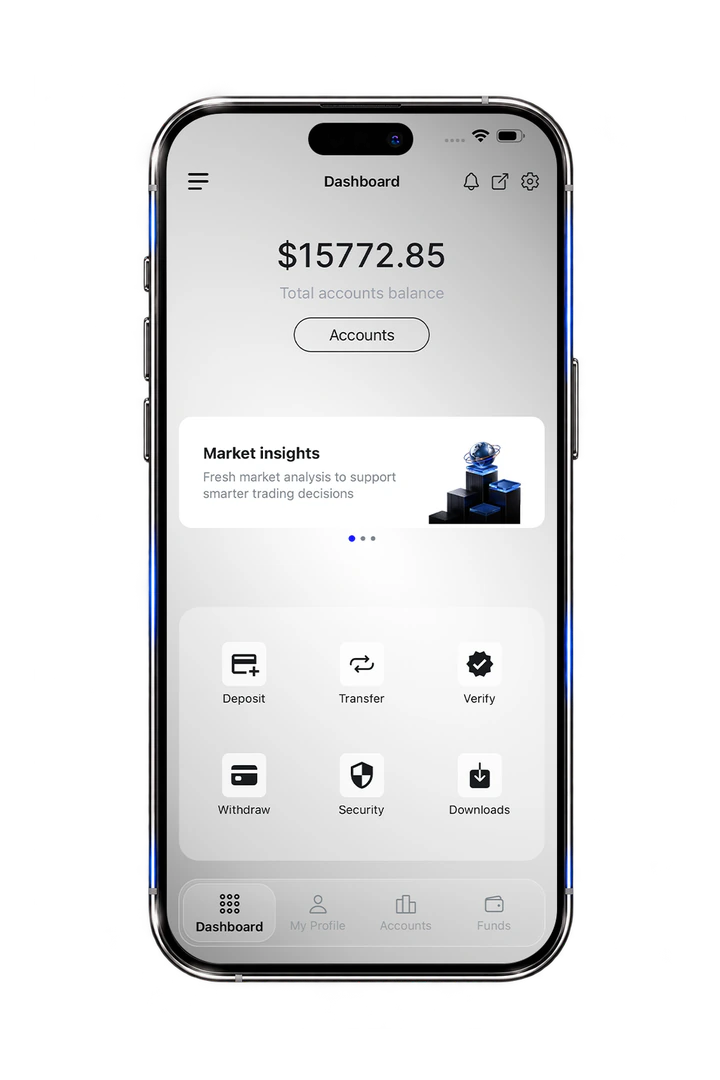
Explore this topicOnEquity Client AppWhat can I do with the OnEquity Client App?
Review your accounts, balances, equity and activity, access funding options, and reach key account services from your phone.
Explore this topicOnEquity Client AppIs the Client App the same as MetaTrader?
No. The Client App is for account management. Use the MT4 or MT5 terminal assigned to your trading account to place and manage trades.
Explore this topicOnEquity Client AppCan I see live and demo accounts together?
Yes. The app brings live and demo account information into one dashboard so you can review the accounts linked to your profile.
Explore this topicOnEquity Client AppCan I access deposits and withdrawals in the app?
Yes. You can access the funding options available to your account. Methods, limits and processing depend on your account and payment route.
Explore this topicOnEquity Client AppWhat account information can I review?
You can review balances, equity, available funds and recent account activity, with access to account details and essential services.
Explore this topicOnEquity Client AppCan I access account documents and platform information?
The app’s organised menu provides access to account details, documents, platforms and other key account areas.
Explore this topicOnEquity Client AppDoes the app have features for introducing brokers?
Yes. IB tools support reviewing referred clients and client activity, tracking commission performance and balances, and accessing key IB information.
Explore this topicOnEquity Client AppWhere can I download the OnEquity Client App?
Use the App Store or Google Play buttons on this page, or scan the OnEquity download QR code.
Explore this topicAccount accessWhere do I sign in to my Client Portal?
Clients, introducing brokers and affiliates use the same Client Portal sign-in page. The services shown after sign-in depend on your profile and account permissions. MetaTrader uses separate trading-account credentials.
Account accessHow do I reset my Client Portal password?
Select Forgot password on the official sign-in page, or use https://auth.onequity.com/forgot-password, and follow the recovery instructions.
Account accessWhere can I check account verification requirements?
Sign in to your Client Portal and follow the verification instructions shown for your profile. Required documents depend on your account and contracting entity.
Account accessWhat information helps support investigate my question?
Include the relevant account or transaction reference and a clear description of the issue. For platform problems, add the platform, symbol, time and error message; never share passwords or verification codes.
AccountsHow should I compare the accounts?
Consider the deposit requirement and total trading costs for the instruments and volumes you expect to trade. A lower spread can be accompanied by a separate commission.
Explore this topicAccountsWhich base currencies are listed?
The published account comparison lists USD, EUR and JPY. Confirm the currencies available during registration for your account entity.
Explore this topicAccountsCan I open an account for my company?
Select Corporate on the Account registration page. Eligibility and company documentation requirements apply.
Explore this topicAccountsCan I follow more than one manager?
The PAMM offering supports allocation across multiple managers. Review the available managers and allocation rules in the Client Portal.
Explore this topicAccountsAre returns guaranteed?
No. Managed trading can result in losses. Review the manager’s history, costs and risk approach before allocating funds.
Explore this topicAccountsIs swap-free status automatic?
No. Eligibility is subject to documentation and approval. Contact support before relying on swap-free conditions.
Explore this topicAccountsDoes swap-free mean there are no trading costs?
No. Spreads and other applicable fees remain. Charges may apply after the initial holding period.
Explore this topicAccountsHow do we start?
Contact the team with your organisation type, markets of interest and operating requirements to begin the institutional enquiry.
Explore this topicAbout OnEquityDoes OnEquity offer ownership of the underlying assets?
The markets presented on this website are CFDs. A CFD provides exposure to price movements without ownership of the underlying asset.
Explore this topicAbout OnEquityWhich company will provide my account?
Your client agreement identifies the contracting entity. Check the legal documents and conditions that apply to that entity.
Explore this topicPartnershipsHow do IB and Affiliate programmes differ?
An IB typically introduces and supports client relationships. An Affiliate connects a digital audience through approved referrals. Programme terms determine the eligible activity and remuneration.
Explore this topicPartnershipsWhere do I apply?
Open Partner registration and select Introducing broker or Affiliate. The team will review your business, audience and chosen programme.
Explore this topicInstitutionalWhich organisations can discuss institutional trading?
Corporates, family offices, fund managers, investment and wealth advisers, proprietary trading businesses and asset managers can discuss their requirements with the team. Acceptance depends on the organisation, jurisdiction and account review.
Explore this topicInstitutionalWhich platforms are available for institutional clients?
The published institutional service includes MT4, MT5 and PAMM. The team can explain the available configuration for your trading and allocation workflow.
Explore this topicInstitutionalHow are institutional trading terms agreed?
Pricing and commission arrangements are discussed in relation to volume, asset classes and execution requirements. The agreed account documentation confirms the applicable terms.
Explore this topicInstitutionalIs there a published minimum institutional deposit?
The institutional page does not specify one universal minimum. Discuss your proposed account and funding requirements with the team.
Explore this topicInstitutionalWhat should we prepare for corporate onboarding?
Prepare company and incorporation information, ownership and beneficial-owner details, authorised-person information and a description of the intended account activity. The team confirms the exact documents required.
Explore this topicInstitutionalCan we discuss margin and exposure controls?
Yes. Discuss your organisation’s risk framework and operating requirements during the account review. Any settings remain subject to available services and account terms.
Explore this topicInstitutionalWhat operational support can we discuss?
The institutional team can coordinate onboarding, account operations and escalation arrangements. Agree the appropriate contacts and procedures before starting.
Explore this topicInstitutionalDoes institutional access guarantee execution prices?
No. Liquidity, volatility, order instructions and connectivity affect execution. Institutional arrangements do not remove trading risk or guarantee a particular fill.
Explore this topicTradingWhere is OnEquity’s trading infrastructure hosted?
The published infrastructure page identifies Equinix LD4 and LD7 in London, with MT4 and MT5 connectivity to pricing providers.
Explore this topicTradingIs a specific execution time guaranteed?
No universal numerical execution-time guarantee is stated here. Your connection, order instructions, available liquidity and market conditions influence the final result.
Explore this topicTradingCan the execution price differ from the requested price?
Market prices can change while an order is being processed. The result depends on the order type, available liquidity and applicable execution terms.
Explore this topicTradingWhere do I find the rules for my orders?
Review your client agreement, the instrument specification and the order controls in your assigned MT4 or MT5 platform.
Explore this topicAccount protectionAre the same protections available under every entity?
The scope of protections depends on your contracting entity and agreement. Read the documents for the entity named on your account.
Explore this topicAccount protectionDoes negative-balance protection protect my deposit?
It does not prevent losses on your trading account. Review the applicable negative-balance provisions and exclusions in your agreement.
Explore this topicAccount protectionWhere should I report suspicious account activity?
Contact support through the published contact channels. Never send passwords or verification codes to someone asking for them.
Explore this topicAccount protectionHow do I make a formal complaint?
Find the complaints procedure for your account entity on the Legal & Regulation page and follow its submission and escalation instructions.
Explore this topicTradingWhat does swap-free mean?
It changes the treatment of overnight financing on eligible positions. Other costs, such as spreads, commissions or later storage charges, may still apply.
Explore this topicTradingWho can request the Islamic swap-free option?
The published offer is for eligible Islamic traders using an approved Plus account. Supporting documents and approval are required.
Explore this topicTradingDoes the initial swap-free period last indefinitely?
No. The published initial period is ten calendar days. A fixed storage fee or commission may apply after that period under the account terms.
Explore this topicApp & account accessDoes the App support PAMM account updates?
PAMM account updates are shown in the published App experience. Confirm the available PAMM services for your profile; full allocation and manager controls are not described here.
Explore this topicAccountsWhich clients can access cryptocurrency CFDs?
Cryptocurrency CFDs are available to eligible clients of OnEquity Ltd (Seychelles), subject to the applicable account terms. Cryptocurrency CFDs are not available to clients of OnEquity (MU) Ltd.
Account accessWhich registration form should I use?
Use Account registration and select Individual or Corporate. For partnerships, use Partner registration and select Introducing broker or Affiliate. All profiles share the same login and password recovery.
Explore this topicAccount accessWhere can I read the documents during registration?
At the review step, select “applicable legal documents” and expand the relevant entity to open its PDFs. The documents are also available on the Legal & Regulation page.
Explore this topicContract specificationsCan I download contract specifications and leverage information?
The Contract Specifications page includes a trading-specifications PDF, and Leverage & Margin includes a leverage-information PDF. Review the document date and confirm the current conditions in your trading platform.
Explore this topicAbout OnEquityWhere can I check OnEquity’s award announcements?
The awards on the homepage and About us page link to the relevant organiser or company announcement. These links open in a new tab, so you can keep the OnEquity website open.
Explore this topicPartnershipsWhat marketing resources can partners discuss with the team?
The partner programmes include resources such as promotional banners, landing pages, email materials and educational content. Discuss the materials available for your programme and channels with the partnerships team.
Explore this topicPartnershipsWhat can introducing brokers review in the partner workspace?
The partner workspace brings together referred clients, sub-IB relationships, activity and commission reporting. Available features and commercial terms depend on the agreed programme.
Explore this topicNews & educationCan an article appear in more than one category?
Yes. An article can carry several category labels. Use the category, topic or experience-level filters where available, or search by title, market or subject. Clear filters to return to the full list.
Explore this topicNews & educationWhere can I find company news and award updates?
Choose Company News in the article tabs or the Explore categories sidebar. This section collects OnEquity announcements, company developments and award updates.
Explore this topicNews & educationWhere can I find Weekly Outlook articles?
Open the article library and choose Weekly Outlook. Use the Economic Calendar alongside an outlook to check event times and updates.
Explore this topicEconomic calendarHow do I filter the economic calendar?
Use the calendar controls to select dates, countries and event importance. Focus on the economies and currencies linked to the instruments you follow.
Explore this topicEconomic calendarWhich timezone does the calendar use?
Check the timezone shown in the calendar widget before comparing release times with your local time.
Explore this topicEconomic calendarWhat do Previous, Forecast and Actual mean?
Previous is the reading from the prior reporting period. Forecast is the expectation shown by the data provider. Actual is the published reading for the latest release.
Explore this topicEconomic calendarCan economic calendar figures be revised?
Yes. Times, forecasts and releases are supplied by TradingView and may be revised. Check the latest entry and the source release when reviewing an event.
Explore this topicNo matching questions
Try a shorter phrase, choose another category or contact support below.
Speak to the team
Contact client support
Have your account or transaction reference ready so the team can understand your question. Never share passwords or verification codes.